
JavaScript Date & Time
Master JavaScript dates — Unix epoch, UTC vs local time, creating and parsing Date objects, getters and setters, arithmetic, common pitfalls, and production best practices with ISO 8601.
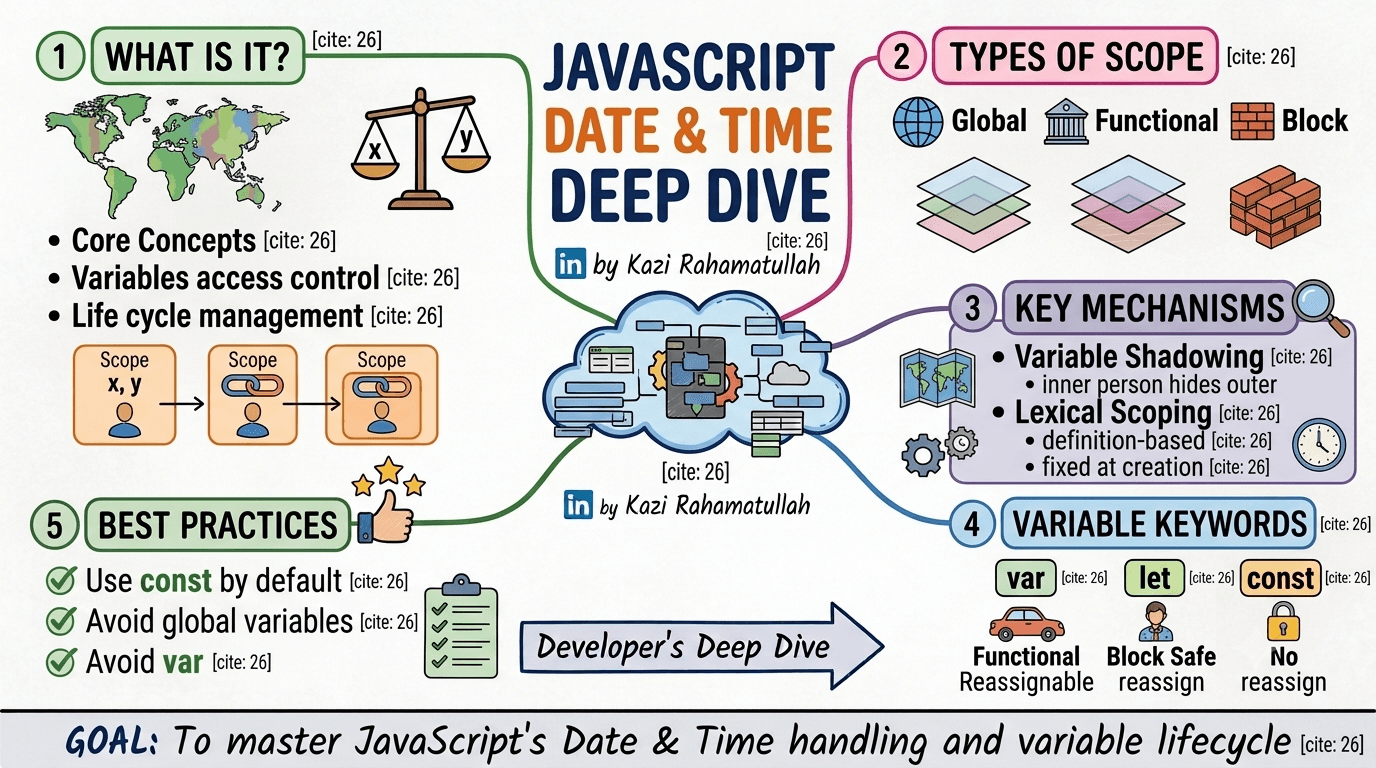
Introduction
Dates look simple until you ship them. A user in Dhaka, a server in Virginia, and a database storing "local time" without a zone will eventually produce bugs that only appear on the last Sunday in October.
JavaScript stores every Date internally as milliseconds since the Unix epoch (1 January 1970, 00:00:00 UTC). What you see in the console is almost always converted to the local time zone of the runtime — browser, Node.js, or test runner.
This guide covers:
- Core concepts — epoch, timestamps, UTC vs local
- Key terminology — UTC, GMT, time zones, and milliseconds
- Creating dates — constructors,
Date.now(), and ISO 8601 - Reading & writing — getters, setters, and UTC equivalents
- Parsing & validation — safe parsing and invalid-date checks
- Arithmetic — adding time and measuring duration
- Common pitfalls — month index, DST, and parsing quirks
- Best practices — storage, display, and when to reach for a library
Each section includes runnable examples for the browser console and Node.js.
Course Reference
Quick index
| # | Section |
|---|---|
| 1 | Core concepts |
| 2 | Key terminology |
| 3 | Creating Date objects |
| 4 | Getters & setters |
| 5 | Parsing & validation |
| 6 | Date arithmetic |
| 7 | Common pitfalls |
| 8 | Best practices |
1. Core concepts
| Idea | Detail |
|---|---|
| Unix epoch | 1 January 1970, 00:00:00 UTC — the zero point for timestamps |
| Internal storage | A Date holds milliseconds since epoch as a Number (UTC-based) |
| Display | toString(), getHours(), etc. convert to the local time zone |
| Time zone complexity | Offsets, DST, and political changes make manual math error-prone |
const now = new Date()
console.log(now.getTime()) // 1730000000000 — UTC milliseconds (example)
console.log(now.toString()) // local representation, e.g. "Fri Jul 03 2026 ..."
console.log(now.toISOString()) // always UTC: "2026-07-03T09:52:00.000Z"
Think of a Date as a UTC instant on a timeline. Local getters project that instant onto your machine's time zone; UTC getters read the instant directly.
const d = new Date()
console.log(d.toISOString()) // UTC
console.log(d.getTimezoneOffset()) // e.g. -360 for UTC+6 (Dhaka)2. Key terminology
Epoch time
The universal starting point for computer clocks: 1 January 1970, 00:00:00 UTC. Every timestamp counts forward from that moment.
Timestamp
A numeric count of time units since the epoch. JavaScript uses milliseconds; many Unix tools use seconds.
const ms = Date.now()
const seconds = Math.floor(ms / 1000)

console.log(ms) // 1730000000000
console.log(seconds) // 1730000000UTC and GMT
UTC (Coordinated Universal Time) is the modern standard. GMT is often used interchangeably in casual speech. Neither observes daylight saving — they are stable baselines for storage and APIs.
Time zones
A region's offset from UTC, e.g. UTC+6 for Bangladesh Standard Time. Offsets can change with DST (not applicable in Bangladesh, but relevant for US/EU users).
// Intl gives correct zone-aware formatting without manual offset math
const formatter = new Intl.DateTimeFormat('en-BD', {
  timeZone: 'Asia/Dhaka',
  dateStyle: 'full',
  timeStyle: 'long',
})

console.log(formatter.format(new Date()))
// "Friday, 3 July 2026 at 3:52:00 pm GMT+6"3. Creating Date objects
Current date and time
const now = new Date() // current instant
const timestamp = Date.now() // same instant as number — preferred for performanceFrom a timestamp (milliseconds)
const d = new Date(1_700_000_000_000)
console.log(d.toISOString()) // "2023-11-14T22:13:20.000Z"
From an ISO 8601 string (recommended)
const d = new Date('2026-07-03T09:30:00.000Z')
console.log(d.getUTCFullYear()) // 2026
console.log(d.getUTCMonth()) // 6 (July — see pitfalls)
console.log(d.getUTCDate()) // 3
ISO format: YYYY-MM-DDTHH:mm:ss.sssZ — the trailing Z means UTC.
From components (local time)
// year, monthIndex, day, hours, minutes, seconds, ms
const birthday = new Date(1995, 6, 15) // 15 July 1995 — local midnight
console.log(birthday.getFullYear()) // 1995
console.log(birthday.getMonth()) // 6
console.log(birthday.getDate()) // 15const local = new Date(2026, 0, 1) // 1 Jan 2026, 00:00 local
const utcMs = Date.UTC(2026, 0, 1) // 1 Jan 2026, 00:00 UTC as milliseconds
const utc = new Date(utcMs)
console.log(local.toString())
console.log(utc.toISOString())Static helpers
Date.now() // current timestamp (ms)
Date.parse('2026-07-03') // parse to timestamp — implementation-dependent for non-ISO strings
Date.UTC(2026, 6, 3) // UTC ms for 3 July 2026 00:00:00 UTC4. Getters & setters
Local getters
const d = new Date('2026-07-03T14:30:00.000Z')

console.log(d.getFullYear()) // local year
console.log(d.getMonth()) // 0–11
console.log(d.getDate()) // day of month 1–31
console.log(d.getDay()) // day of week 0–6 (Sun–Sat)
console.log(d.getHours())
console.log(d.getMinutes())
console.log(d.getSeconds())
console.log(d.getMilliseconds())
UTC getters
Use UTC methods when the source data is UTC (APIs, databases) and you want stable values regardless of the user's zone:
const d = new Date('2026-07-03T14:30:00.000Z')

console.log(d.getUTCFullYear()) // 2026
console.log(d.getUTCMonth()) // 6
console.log(d.getUTCDate()) // 3
console.log(d.getUTCHours()) // 14
console.log(d.getUTCMinutes()) // 30
Setters (mutate in place)
const d = new Date()
d.setFullYear(2027)
d.setMonth(11) // December
d.setDate(25)
d.setHours(0, 0, 0, 0) // midnight local

console.log(d.toString())
UTC setters mirror local ones: setUTCFullYear, setUTCMonth, setUTCDate, setUTCHours, etc.
Useful output methods
const d = new Date('2026-07-03T09:00:00.000Z')

d.toISOString() // "2026-07-03T09:00:00.000Z" — best for APIs/DB
d.toJSON() // same as toISOString()
d.toDateString() // "Fri Jul 03 2026"
d.toTimeString() // local time with zone name
d.toLocaleDateString('en-BD') // locale-aware display
d.toLocaleString('en-BD', { timeZone: 'Asia/Dhaka' })5. Parsing & validation
Prefer ISO strings
const good = new Date('2026-07-03T10:00:00Z')
const alsoGood = new Date('2026-07-03') // parsed as UTC midnight in modern engines
Avoid ambiguous formats
// ❌ Ambiguous — US vs EU date order
new Date('03/07/2026') // could be 3 Jul or 7 Mar depending on engine/locale

// ✅ Unambiguous
new Date('2026-07-03')Detect invalid dates
function isValidDate(value) {
  const d = value instanceof Date ? value : new Date(value)
  return !Number.isNaN(d.getTime())
}

console.log(isValidDate('2026-07-03')) // true
console.log(isValidDate('not a date')) // false
console.log(isValidDate(new Date('invalid'))) // false
Safe parsing helper
function parseISODate(isoString) {
  const d = new Date(isoString)
  if (Number.isNaN(d.getTime())) {
    throw new RangeError(`Invalid ISO date: ${isoString}`)
  }
  return d
}

const published = parseISODate('2026-07-03T09:00:00.000Z')6. Date arithmetic
Work in milliseconds for addition and subtraction — avoid manually adding days to getDate() across month boundaries.
Constants
const SECOND = 1000
const MINUTE = 60 * SECOND
const HOUR = 60 * MINUTE
const DAY = 24 * HOUR
Add duration
function addDays(date, days) {
  return new Date(date.getTime() + days * DAY)
}

const today = new Date('2026-07-03T12:00:00Z')
const nextWeek = addDays(today, 7)
console.log(nextWeek.toISOString()) // 2026-07-10T12:00:00.000Z
Difference between two dates
function diffInDays(a, b) {
  const ms = Math.abs(b.getTime() - a.getTime())
  return Math.floor(ms / DAY)
}

const start = new Date('2026-01-01')
const end = new Date('2026-07-03')
console.log(diffInDays(start, end)) // 183
Human-readable duration
function formatDuration(ms) {
  const totalSeconds = Math.floor(ms / 1000)
  const hours = Math.floor(totalSeconds / 3600)
  const minutes = Math.floor((totalSeconds % 3600) / 60)
  const seconds = totalSeconds % 60
  return `${hours}h ${minutes}m ${seconds}s`
}

const started = new Date('2026-07-03T08:00:00Z')
const finished = new Date('2026-07-03T10:45:30Z')
console.log(formatDuration(finished - started)) // "2h 45m 30s"7. Common pitfalls
Month indexing (0–11)
January is 0, December is 11. This trips up almost every developer at least once.
const wrong = new Date(2026, 7, 1) // 1 August 2026 — not July!
const right = new Date(2026, 6, 1) // 1 July 2026

console.log(wrong.getMonth()) // 7
console.log(right.getMonth()) // 6setMonth overflow
const d = new Date(2026, 0, 31) // 31 January
d.setMonth(1) // "February 31" rolls to March
console.log(d.toDateString()) // "Tue Mar 03 2026" in most engines
Always validate day-of-month when incrementing months, or use a library.
Daylight saving time (DST)
In zones with DST, some local times do not exist (spring forward) or occur twice (fall back). Manual offset math breaks.
// ❌ Fragile — assumes every day has 24 hours in local time
const tomorrow = new Date()
tomorrow.setDate(tomorrow.getDate() + 1)

// ✅ Prefer UTC ms arithmetic for fixed durations
const in24Hours = new Date(Date.now() + 24 * 60 * 60 * 1000)Comparing dates
const a = new Date('2026-07-03')
const b = new Date('2026-07-03')

console.log(a === b) // false — different object references
console.log(a.getTime() === b.getTime()) // true — same instant
console.log(a <= b) // true — coercion to number works8. Best practices
Store UTC, display local
| Layer | Recommendation |
|---|---|
| Database | TIMESTAMPTZ or ISO 8601 UTC strings |
| API | Always serialize with toISOString() |
| UI | Format with Intl or locale helpers for the user |
// API response handler
function serializeForApi(date) {
  return date.toISOString()
}

// UI display
function displayLocal(isoUtc) {
  return new Intl.DateTimeFormat(undefined, {
    dateStyle: 'medium',
    timeStyle: 'short',
  }).format(new Date(isoUtc))
}

displayLocal('2026-07-03T09:00:00.000Z')
// e.g. "3 Jul 2026, 3:00 pm" in Asia/Dhaka
Use ISO 8601 for wire format
const payload = {
  title: 'New post',
  publishedAt: new Date().toISOString(),
}
JSON.stringify(payload)
// {"title":"New post","publishedAt":"2026-07-03T09:52:00.000Z"}
When to use a library
| Task | Native Date | Library (date-fns / Luxon) |
|---|---|---|
| Current timestamp | ✅ | ✅ |
| ISO parse/format | ✅ | ✅ |
| Add days in UTC | ✅ | ✅ |
| Named time zones | ⚠️ Intl | ✅ |
| Recurring rules (RRULE) | ❌ | ✅ |
| Business days / holidays | ❌ | ✅ |
// date-fns example
import { addDays, format, parseISO, isValid } from 'date-fns'

const base = parseISO('2026-07-03')
const next = addDays(base, 7)
console.log(format(next, 'yyyy-MM-dd')) // "2026-07-10"
console.log(isValid(parseISO('bad'))) // falseSummary
JavaScript dates are UTC instants dressed in local clothing. Create them with ISO strings or timestamps, read them with the right getter (local vs UTC), mutate carefully, and do math in milliseconds. The month index, DST, and ambiguous parsers cause most real-world bugs — store UTC, show local, and escalate to Intl or date-fns when time zones get serious.
Related reads: JavaScript Strings for formatting patterns, and JavaScript Code Snippets for a reusable date-formatting utility.
Subscribe to my newsletter
Stay up to date and get notified when I share new contents.
No spam ever, unsubscribe anytime